

Can your team explain why one IT risk should be fixed before another? The answer should not come from the latest scan result or the most recent audit request. It should come from a defined, ongoing process that weighs likelihood against business impact. Without one, teams may work through low-priority fixes while a weakness in a critical IT system quietly puts your core operations in jeopardy.
Only 26% of organizations report having a shared view of risk across the business. An IT risk assessment allows you to build organizational clarity with a structured, defensible way to identify risk and decide what needs attention first. The most effective approach connects findings to remediation, governance, and decision-making. Here’s how to perform an IT risk assessment that builds context, step-by-step.
What is an IT risk assessment?
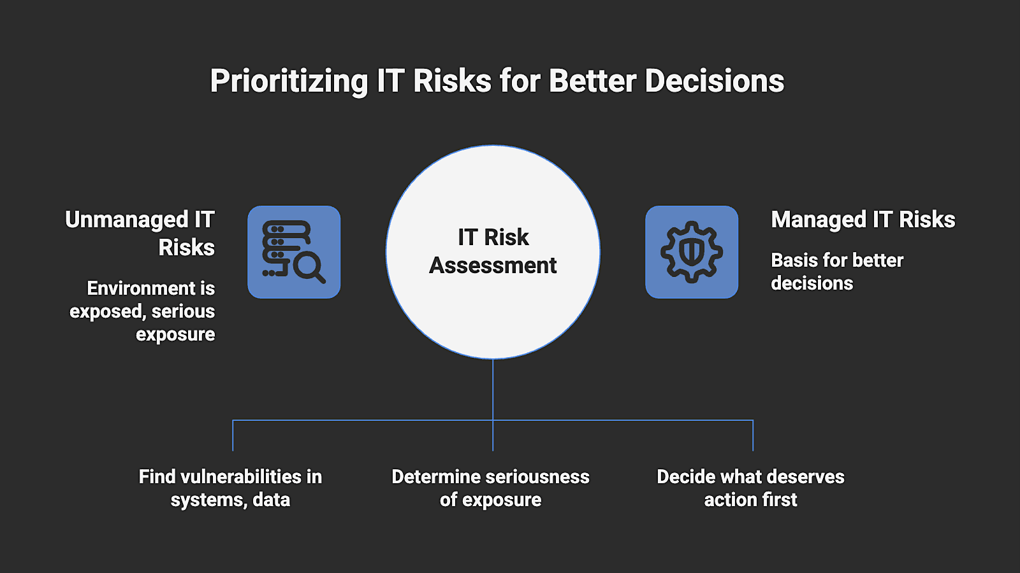
An IT risk assessment is a structured process for identifying, analyzing, and prioritizing risks to the systems, applications, data, vendors, and supporting processes that your organization relies on to operate. Its purpose is to bring discipline to how IT risk is identified and judged by showing where the environment is exposed, how serious that exposure is, and what deserves action first.
Not every issue discovered during an assessment carries the same business risk. A weakness affecting a low-priority system should not be treated the same way as one tied to revenue, regulated data, or core operations. An IT risk assessment gives the organization a basis for making that distinction and deciding what to prioritize.
IT risk assessments can be qualitative, quantitative, or a mix, depending on how the organization approaches risk. The goal is not to produce a perfect scoring system, but to support better decisions around remediation, security spending, compliance, and resilience.
Because an IT assessment is meant to support business decisions, it is used by CIOs, CTOs, CISOs, compliance leaders, and operational owners. It is usually led by IT or security leadership with input from business stakeholders and system owners who understand the operational consequences of disruption, such as downtime, missed obligations, and recovery pressure.
How often should you perform an IT risk assessment?
At a minimum, a formal IT risk assessment should be done at least once a year. That gives the organization a current baseline and helps support audit and governance expectations. It also gives leadership a regular point to revisit earlier decisions.
For most organizations, once a year is just not enough. A new assessment should follow any change that could meaningfully affect exposure. That includes:
- Major infrastructure or cloud changes
- New or expanded third-party access
- Security incidents or near misses
- Changes in regulatory or contractual requirements
- Business changes such as acquisitions or new product lines
Some organizations handle this by running a full annual assessment and then revisiting key risk areas as changes occur. Others adopt a more continuous approach if they operate in a higher-risk or more regulated space. What’s critical is to ensure that the assessment process keeps up with changes in the IT environment.
What frameworks should you use for an IT risk assessment?
You don’t have to use one specific framework to complete an IT risk assessment, but you do need a defined methodology. A framework helps create a more consistent process and a shared language for discussing risk. Most organizations pull from a few and combine them based on what's in scope and how findings need to be reported, and to whom.
Key IT risk assessment frameworks include:
- COBIT – Provides a governance and control framework for evaluating how IT supports the business, manages risk, and maintains effective oversight.
- ITIL – Helps assess operational IT risks related to service management, incident response, change management, availability, and IT service continuity management.
- ISO 31000 – Provides a broad risk management structure that can be applied to IT risk as part of overall business risk management.
- COSO ERM – Helps organizations evaluate IT risk in the context of governance, strategy, internal control, and enterprise performance.
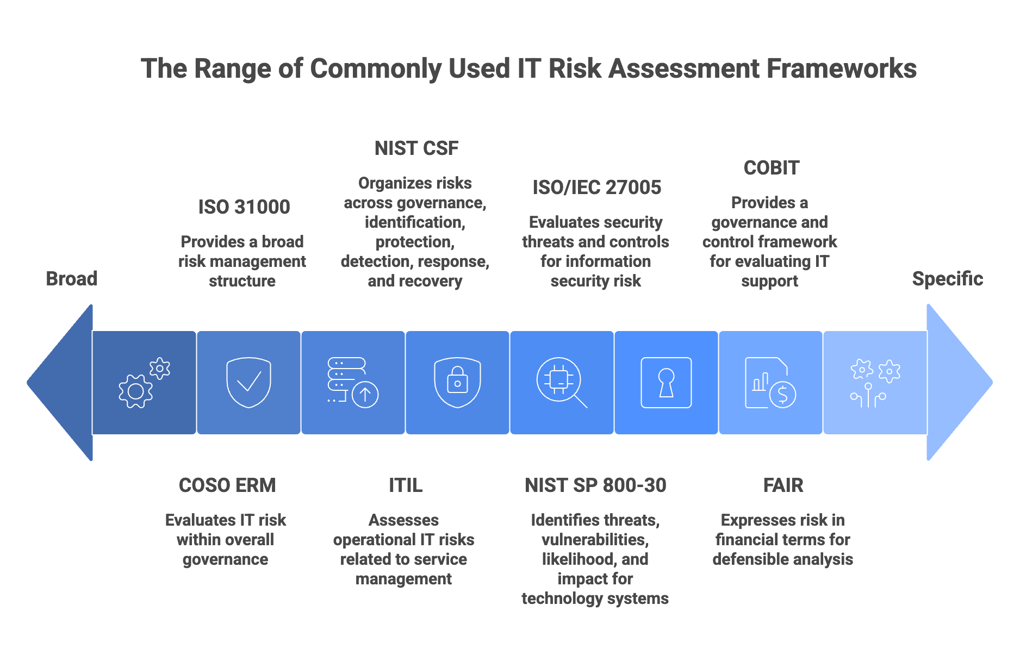
- NIST SP 800-30 – A practical method for identifying threats, vulnerabilities, likelihood, and impact for technology systems and information assets.
- NIST CSF – Support the assessment when cybersecurity risk is part of the scope, helping organize risks across governance, identification, protection, detection, response, and recovery.
- ISO/IEC 27005 – When the assessment includes information security risk and needs a formal method for evaluating security threats and controls, this framework is helpful. Often used alongside ISO 27001 for a more formal information security risk process.
- FAIR – Used when executives want risk expressed in financial terms for a more defensible analysis
Compliance requirements like SOC2, PCI DSS, and CMMC may influence the scope of assessments and how findings are documented or reported. However, they are not IT risk assessment frameworks themselves, and they do not replace the core assessment process described in the next section.
IT Risk Assessment: A Step-by-Step Guide
Risk assessments build context with each step, which means the "order of operations" does matter here. If you skip a step, the output may end up too technical or too general to be useful.
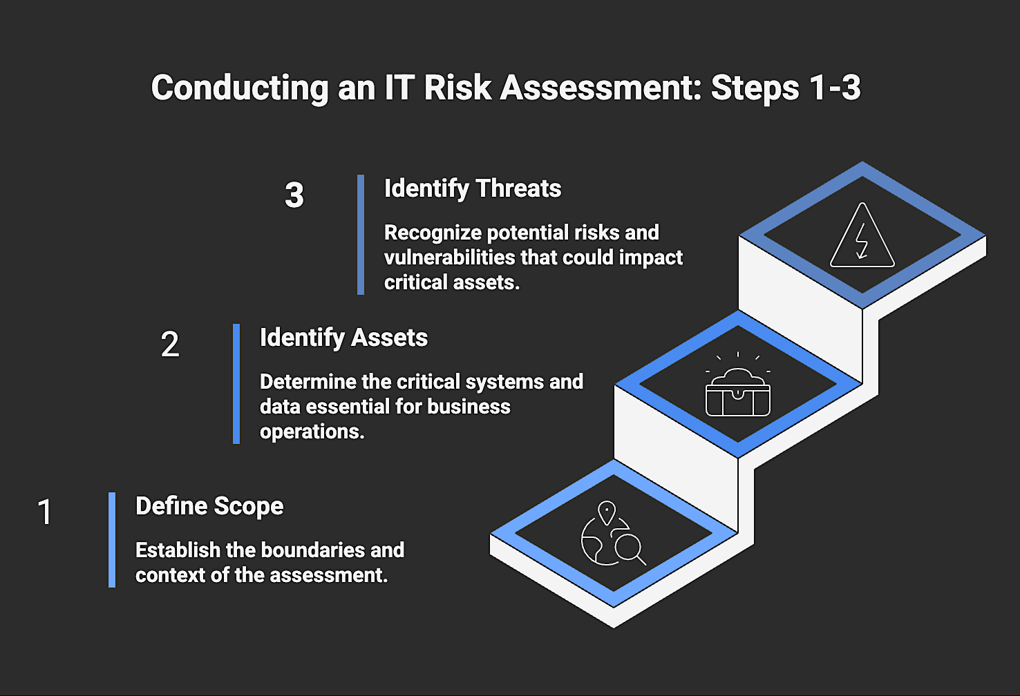
Step 1: Define the Scope and Business Context
Start by defining the exact IT environment being assessed. Name the systems, data, vendors, business units, and processes that fall within scope, along with any compliance or contractual obligations tied to them.
You also need to decide what makes a system or process high risk in this environment. That means looking at how critical a system is for operations, then weighing the sensitivity of the data it handles and the level of access it gives to users.
Technical teams and leadership need to be aligned from this point on in order to produce results that correctly reflect the environment and business impact. In smaller teams or MSP-heavy environments, a team-based vCISO model can help set that foundation by bringing in the risk management expertise needed to interpret technical issues in a business context from beginning to end.
Step 2: Identify Critical Assets
Within the boundary set by the scope, identify the assets that are most critical to business operations. Do not get stuck trying to build a perfect inventory. Instead, focus on operational dependence. Which systems would create a meaningful disruption if they were unavailable or compromised?
Consider any applications, infrastructure, data stores, identity systems, integrations, and third-party services that meet that threshold, especially where risk engineering or vendor exposure analysis may be needed.
Step 3: Identify Threats and Vulnerabilities
Now take the critical assets and ask what could realistically disrupt them and what conditions would make that possible. You want to connect realistic threats to actual weaknesses in the environment. That could include unsupported systems, weak access controls, excessive permissions, cloud misconfigurations, or gaps in backup and recovery.
If any of these can be tied to a plausible and specific risk scenario, the risk becomes actionable because the organization can evaluate it, prioritize it, and decide what to do next.
Step 4: Assess Likelihood
Decide how likely each risk scenario is in this environment. Some risks look serious but are actually quite hard to exploit (and therefore unlikely), while others are much easier to trigger because the asset is more exposed or the weakness is easier to exploit.
For example, vulnerabilities that are actively being exploited in similar environments are much more likely to occur in your own environment.
This process does not require complex scoring models. Too much granularity can make the methodology harder to explain without improving the outcome. Vistrada’s team-based vCISO model can help leadership determine how far to take that analysis without overcomplicating the process.
Step 5: Assess Business Impact
At this point, the assessment will shift to measure disruption in business terms. What happens if the risk materializes?
- Would a key workflow stop?
- Would teams lose access to a system they use every day?
- Would recovery take hours or days?
Downtime is the most obvious business impact, but a serious incident can also lead to missed customer obligations detailed in SLAs and compliance consequences. Make sure your organization considers all relevant dimensions. At this point, leadership can engage more directly because the assessment is now framed in terms they are familiar with, such as disruption and cost.
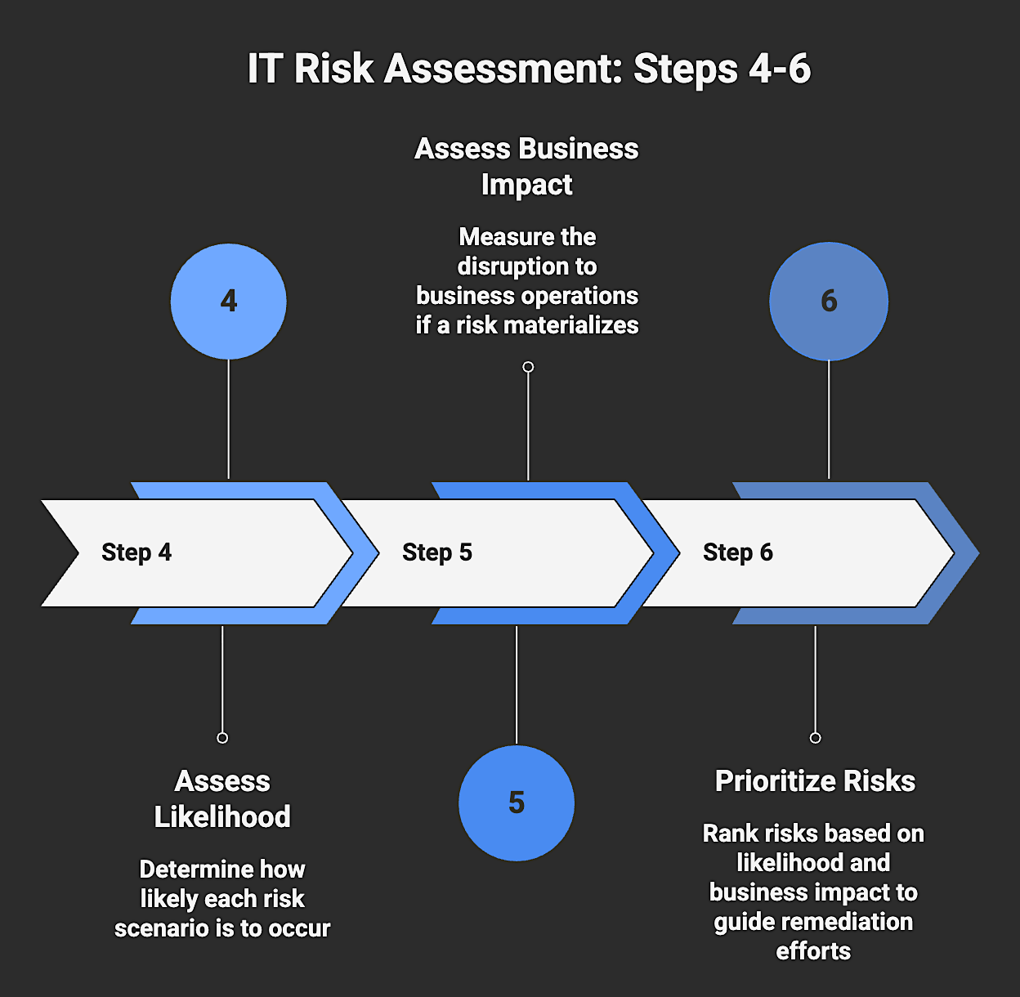
Step 6: Prioritize the Risks
Put likelihood and business impact together and use them to rank the risk scenarios in order of urgency. Two findings may look similar at the technical level and still call for different responses once exposure and business impact are weighed together.
That ranking should make it clear where time, budget, and remediation effort need to go first. And it should make clear which risks can be scheduled for later treatment and which ones the business is choosing to accept.
If the IT risk prioritization is performed properly, leadership should be able to understand why one risk sits above another without needing a technical explanation.
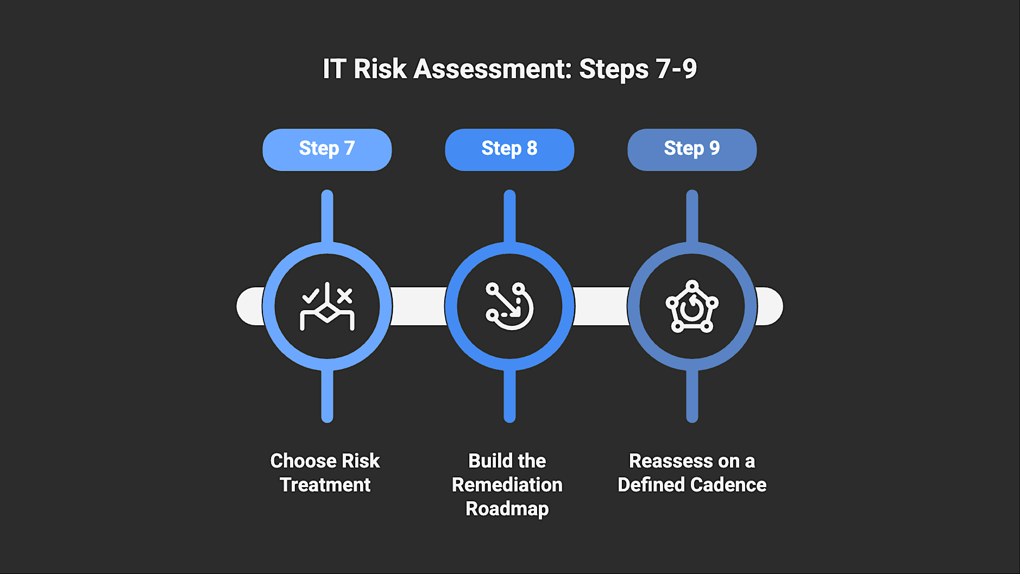
Step 7: Choose Risk Treatment
Each prioritized risk needs a decision. What is your organization going to do about it? Most treatment decisions fall into four categories:
- Mitigated through controls or remediation
- Accepted if the impact is understood and falls within tolerance
- Transferred through insurance or contractual terms
- Avoided by changing how the system or process is used
Leaving a risk without a treatment decision is an unforced error because the assessment has already done the work of identifying and prioritizing it. Choosing to accept the risk is far more useful than leaving it undecided and out of view.
Step 8: Build the Remediation Roadmap
At this point, the assessment needs to turn into a remediation roadmap, meaning a practical plan that lays out what needs to be fixed, who owns each action, and when that work should happen. Each item should have a clear owner and a target timeline, so there is no confusion about what happens next.
It also helps to separate quick fixes from longer-term work. Tightening access or correcting a cloud misconfiguration can happen fairly quickly. Replacing a legacy system or improving recovery capability usually takes longer and may depend on budget and staffing.
Step 9: Reassess on a Defined Cadence
This final step keeps your IT risk assessment current as the environment, business, and risk exposure change. Reassessment can be time-based (quarterly, semi-annual, annual) or event-driven.
Event-based triggers are things like an acquisition, a significant infrastructure change, entry into a new market, new compliance requirements, or a breach at a similar organization.
Most organizations use a combination of scheduled reviews and event-driven reassessments. The idea is to stay current without making reassessment a constant project, so define the conditions that would trigger a reassessment and stick to them.
vCISO engagements can provide this repeatability and continuity without overloading the organization’s internal capacity. Frequent reassessments are resource-intensive because each cycle requires coordination and context gathering. A team-based vCISO engagement can carry that work forward against an established baseline instead of reconstructing context from scratch. Findings become more valuable over time because change becomes easier to track.
How an IT Risk Assessment Supports Better Decisions
An IT risk assessment should leave the organization with a clearer view of what carries real business consequences. It should replace scattered concerns with a structured view of exposure and a path for addressing it, and most importantly, it should drive decisions that reduce risk.
Vistrada supports that process through a team-based vCISO model that brings multiple specialists into the work so that assessment, prioritization, and oversight are handled with expertise at each step. Instead of a single consultant, organizations get access to a broader bench that can carry risk management forward across assessment cycles, into remediation planning, and through ongoing oversight. For organizations with limited internal capacity, this creates a durable structure for making risk decisions that are actionable and connected to business priorities.
Contact Vistrada to turn your IT risk assessment into a practical roadmap for security, compliance, and resilience.
Vistrada Editorial Policy